ThemeKit - Themes & Widgets
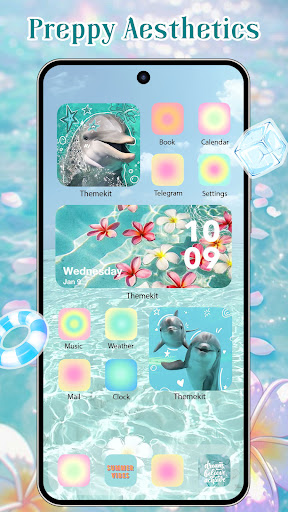


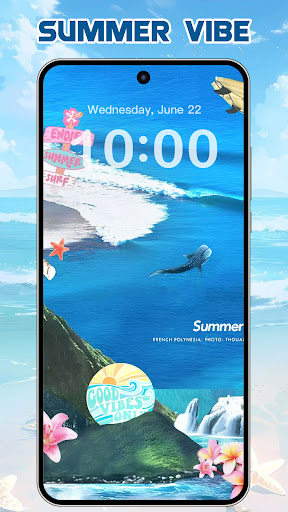


Click to download now, finish the installation quickly, and directly unlock the "all-round experience"
About This App
🏆 Expert Verdict & Overview
ThemeKit - Themes & Widgets positions itself as a comprehensive toolkit for Android customization, squarely targeting the Personalization landscape. It aims to be a one-stop-shop by amalgamating icon packs, widgets, and wallpapers, promising direct competition to established players with its vast, claim-heavy content library. The core proposition is empowering users to take on the role of "home screen designer."
🔍 Key Features Breakdown
- 3-in-1 Themify App: Consolidates icon changing, widget application, and wallpaper setting into a single interface, reducing the need to juggle multiple specialized apps and streamlining the personalization workflow.
- Massive Content Library: Advertises thousands of icons, themes, and widgets, theoretically solving the problem of limited creative options and ensuring users can frequently refresh their device's look.
- DIY Customization: Allows creation of custom icons and widgets using personal photos, directly addressing the user need for truly unique, sentimental, or brand-specific home screen elements.
- Accessibility-Service Widgets: Implements features like a control center via accessibility services, aiming to solve the problem of quick system toggles without needing manufacturer-specific UI or root access.
- Broad Device & Language Support: Claims high compatibility across major Android brands and multiple languages, tackling the fundamental pain points of app functionality and usability for a global, fragmented Android market.
🎨 User Experience & Design
The success of a personalization app hinges entirely on its own UI/UX being intuitive, aesthetically pleasing, and performant. A cluttered or confusing interface defeats the purpose of beautifying a phone. Based on the description, ThemeKit emphasizes a "user-friendly interface" and "easy to use" claims. The critical test would be how effectively it curates its vast library—users can be overwhelmed by choice. Features like a live search function and daily updates suggest an attempt to manage discovery. The true UX benchmark is the smoothness of the apply-and-preview process: can users seamlessly see changes, customize widget parameters, and revert without lag or crashes?
⚖️ Pros & Cons Analysis
- ✅ The Good: Offers an all-in-one solution, reducing app clutter. The DIY functionality is a significant differentiator for advanced users.
- ✅ The Good: Vast and frequently updated library caters to diverse tastes and keeps the content fresh.
- ✅ The Good: Explicit broad compatibility addresses a key user concern in the fragmented Android ecosystem.
- ❌ The Bad: Heavy reliance on accessibility services, while powerful, may raise privacy concerns for some users and requires cautious permission granting.
- ❌ The Bad: A massive content library can lead to paradox of choice, requiring exceptional curation and filtering tools to be genuinely usable.
- ❌ The Bad: The description's promotional tone ("top 1 🔝") and emoji-heavy presentation may undermine perceived professionalism, potentially signaling a cluttered in-app experience.
🛠️ Room for Improvement
For the next update, the developers should focus on trust and clarity. First, a transparent, in-app explanation of *exactly* what data the accessibility service accesses and why it's essential would mitigate privacy concerns. Second, introducing advanced curation tools—like AI-based recommendations based on a user's applied themes, more powerful filters, and curated "Editor's Picks" collections—would help users navigate the extensive library. Finally, a streamlined, less promotional first-run tutorial focusing on core functionality (apply icon pack, place a widget, set wallpaper) would improve initial user onboarding.
🏁 Final Conclusion & Recommendation
ThemeKit - Themes & Widgets is best suited for Android enthusiasts who desire deep, centralized control over their home screen aesthetics and are comfortable exploring extensive libraries and system-level features. It is less ideal for users seeking a simple, minimalist tool or those wary of granting accessibility permissions. If the app delivers on its promise of a smooth, intuitive interface to manage its vast offerings, it represents a potent option in the personalization space. Users should approach with an exploratory mindset and be prepared to invest time in customization. The final verdict is a cautiously optimistic recommendation for experienced Android users who prioritize choice and comprehensive toolkits.
Best Similar Apps