Photo Album F-Stop Pro


Click to download now, finish the installation quickly, and directly unlock the "all-round experience"
About This App
🏆 Expert Verdict & Overview
Photo Album F-Stop Pro presents itself as a powerful power-up for serious photographers and media archivists within the Android ecosystem. It is not a standalone gallery app but a premium key that transforms the free F-Stop Media Gallery into a robust photo management suite. Its primary value proposition is professional-grade, non-destructive metadata handling and deep organizational control. This positions it uniquely in the Photography category, moving beyond simple viewing and basic edits to address the specific workflow needs of enthusiasts and pros who use tools like Adobe Lightroom on desktop.
🔍 Key Features Breakdown
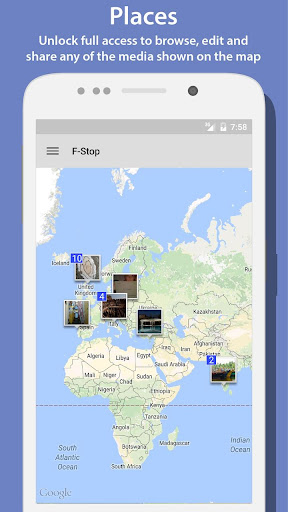
- Places Integration: Solves the problem of contextual photo rediscovery by leveraging Google Maps to visually browse a media library by location, enabling users to organize and share collections based on geography.
- Full-Text Search: Addresses the frustration of limited results in the free version, allowing users to efficiently find any media item among potentially thousands, a critical feature for large libraries.
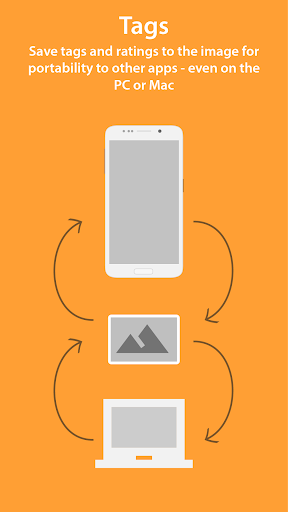
- Write Metadata & XMP Support: Directly tackles the issue of platform lock-in by writing tags and ratings directly into JPGs or standard XMP sidecar files. This ensures metadata portability and longevity across major professional software ecosystems.
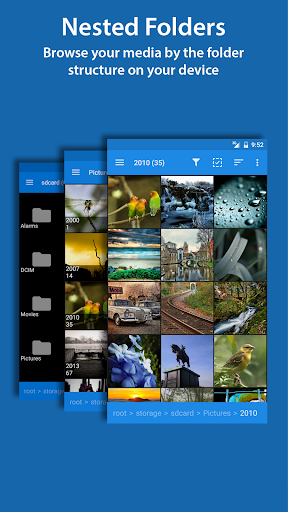
- Nested & Smart Albums: Solves complex organizational needs by enabling users to mirror intricate folder structures with albums and create dynamic, rule-based collections (Smart Albums) that auto-update, saving significant manual curation time.
- Deep Customization (Themes, Navigation, Sorting): Empowers users to tailor the interface and workflow to their personal habits through drag-and-drop sorting, a customizable navigation drawer, and visual themes, enhancing daily usability.
🎨 User Experience & Design
The UX philosophy appears to prioritize utility and customization for power users over minimalist simplicity. The ability to hide UI elements and choose a startup screen suggests a design that adapts to the user's specific workflow, which is a strength in the Photography/Productivity niche. However, the initial unlock process requiring a force stop or reboot introduces a notable friction point at the very beginning of the user journey. The interface, as described, likely presents a steeper learning curve than a standard gallery app but rewards that investment with superior control.
⚖️ Pros & Cons Analysis
- ✅ The Good: Industry-standard XMP metadata handling ensures future-proofing and cross-platform compatibility.
- ✅ The Good: Exceptional depth of organization with nested folders/albums, smart albums, and unlimited bookmarks.
- ✅ The Good: High degree of UI/UX customization, allowing users to shape the tool to their thinking.
- ❌ The Bad: Pro key activation can be clunky, requiring manual app restarts, which is a poor first impression.
- ❌ The Bad: The app transparently notes persistent limitations with SD card write access on certain devices post-Android KitKat, which can be a critical deal-breaker for users relying on expandable storage.
🛠️ Room for Improvement
The most immediate area for improvement is streamlining the license activation process. An in-app mechanism to detect and apply the key without user intervention (force stop/reboot) is essential. Furthermore, the SD card workaround notice, while honest, could be supplemented with a clearer, device-specific guide or a compatibility checker within the app. Adding a brief, interactive tutorial highlighting the core pro features (Smart Albums, metadata writing) would also greatly reduce the initial complexity for new power users.
🏁 Final Conclusion & Recommendation
This app is unequivocally targeted at photography enthusiasts, professionals, and meticulous media organizers who manage large libraries and demand control over metadata and organization that transcends their Android device. It is not for the casual snapshot taker. The recommendation is strong for its intended audience, as the core features of metadata writing and advanced sorting are uniquely powerful on the platform. The caveats regarding activation and SD card permissions are significant but are the cost of entry for this level of control on Android. For those who need a Lightroom-like management experience on their mobile device, F-Stop Pro is a compelling, if slightly niche, solution.
Best Similar Apps