Google Sheets




Click to download now, finish the installation quickly, and directly unlock the "all-round experience"
About This App
🏆 Expert Verdict & Overview
Google Sheets stands as the definitive mobile-first spreadsheet solution within the Google Workspace ecosystem. It redefines the Productivity category by shifting the focus from isolated data entry to dynamic, real-time collaboration. The app successfully translates the power of a desktop spreadsheet tool into a streamlined mobile experience, ensuring professional-grade data management is accessible anywhere.
🔍 Key Features Breakdown
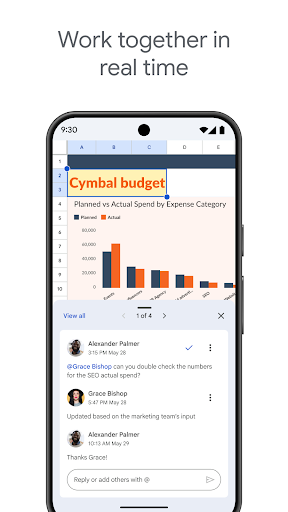
- Real-Time Co-Editing: Solves the core problem of version control and communication lag by allowing multiple users to edit the same spreadsheet simultaneously, with changes saved and visible to all in real-time.
- Full Offline Functionality: Directly addresses the challenge of unreliable connectivity, allowing users to create, view, and edit files without an internet connection, with changes syncing automatically once back online.
- Smart Suggestions & AI Insights (Google Workspace): Tackles data analysis complexity by surfacing patterns, suggesting charts, and offering formatting recommendations, empowering users to gain insights without deep analytical expertise.
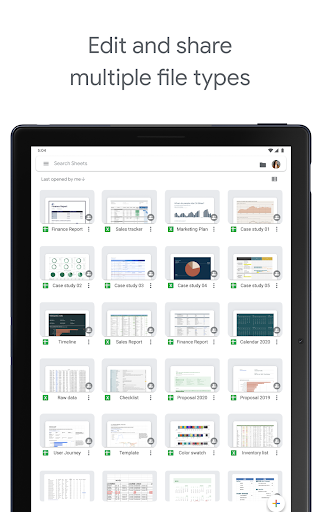
- Seamless Excel File Compatibility: Removes a significant barrier to adoption by enabling users to open, edit, and save Microsoft Excel files directly, ensuring fluid cross-platform workflows.
- Integrated Communication Tools: Combats disjointed feedback loops by embedding comments and, for Workspace users, in-doc chat, keeping all project-related communication contextual and within the file.
🎨 User Experience & Design
The interface adheres to Google's Material Design principles, offering a clean, intuitive, and surprisingly powerful layout for a mobile productivity tool. The UX is optimized for touch, with thoughtful gestures for actions like swiping to access menus. Context-aware toolbars provide relevant functions without overwhelming the user. For the Productivity category, the design excels in efficiency; common tasks like formatting, sorting, and inserting formulas are accessible within a tap or two, minimizing friction and preserving the user's flow state while working on complex data.
⚖️ Pros & Cons Analysis
- ✅ The Good: Unparalleled real-time collaboration sets the industry standard for team-based productivity.
- ✅ The Good: Robust offline support makes it genuinely reliable for on-the-go work.
- ✅ The Good: Deep integration with the broader Google Workspace ecosystem (Drive, Meet, Chat) creates a powerful unified workflow.
- ✅ The Good: Automatic, versioned saving eliminates the fear of data loss entirely.
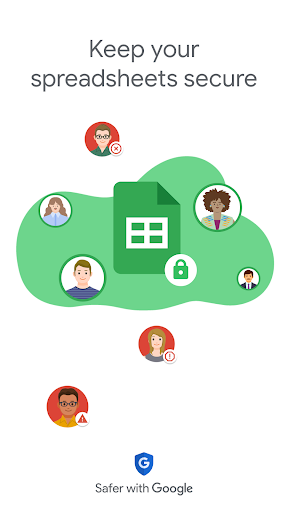
- ❌ The Bad: The most powerful features (advanced AI insights, enterprise security) are gated behind a Google Workspace subscription, creating a tiered experience.
- ❌ The Bad: Can feel slightly restrictive for extremely complex spreadsheet modeling or heavy data visualization compared to a full desktop application.
- ❌ The Bad: The sheer depth of features, while well-organized, may present a minor learning curve for users completely new to spreadsheet software.
🛠️ Room for Improvement
While the offline mode is excellent, introducing a "conflict resolution" wizard for scenarios where multiple users edit the same cell while offline would enhance robustness. Expanding the free tier's AI capabilities to include basic natural language queries (e.g., "show sales above average") would democratize data analysis further. Additionally, providing more customizable templates or allowing users to save their own complex cell formatting as reusable styles could significantly speed up repetitive mobile spreadsheet creation.
🏁 Final Conclusion & Recommendation
Google Sheets is an essential tool for students, freelancers, small business owners, and enterprise teams who prioritize accessibility and collaboration over niche, advanced functions. It is highly recommended for anyone embedded in the Google ecosystem or who regularly works across devices and locations. For collaborative, cloud-centric spreadsheet work, it remains the best-in-class mobile offering, successfully balancing powerful features with a user-friendly design that fosters productivity rather than hindering it.
Best Similar Apps