Google Drive




Click to download now, finish the installation quickly, and directly unlock the "all-round experience"
About This App
🏆 Expert Verdict & Overview
For professionals and casual users alike, Google Drive stands as a foundational pillar in the Productivity category. It transcends the basic function of cloud storage, evolving into a centralized, intelligent hub for collaboration and workflow management. As a core component of the Google ecosystem, it offers unparalleled integration and reliability, making it an indispensable tool for modern digital work.
🔍 Key Features Breakdown
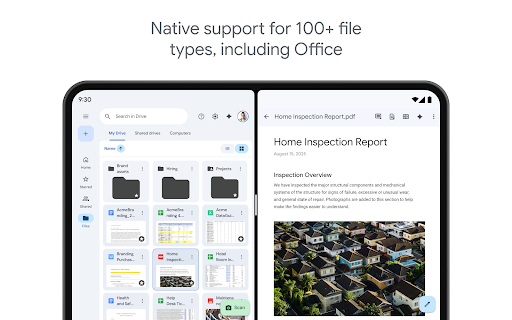
- Universal File Access & Editing: By supporting over 100 file types online and offering seamless offline viewing, Drive solves the fundamental problem of device and location dependency, enabling a truly mobile office.
- Advanced File Intelligence: Features like content search, filtering by metadata, and AI-powered insights (Workspace) move beyond simple storage to actively help users manage and derive value from their growing data libraries.
- Secure, Granular Collaboration: The ability to share files and folders with specific permission levels directly addresses the need for controlled teamwork, streamlining projects while maintaining security.
- Cross-Platform Synergy: Tight integration with Gmail, Photos, and Google's document editors creates a frictionless productivity environment, reducing app-switching fatigue for the user.
- Physical-to-Digital Bridge: The document scanning feature elegantly solves the problem of integrating physical paperwork into a digital workflow, making organization comprehensive.
🎨 User Experience & Design
The interface adheres to Google's Material Design principles, prioritizing cleanliness and intuitive navigation. For a Productivity app, the UX excels in efficiency: the search and filter functions are powerful yet accessible, file previews are quick, and sharing actions require minimal taps. The tablet-optimized experience with side-by-side view and drag-and-drop demonstrates thoughtful adaptation for larger screens, facilitating multi-tasking. The overall experience feels fluid and predictable, minimizing the cognitive load on the user.
⚖️ Pros & Cons Analysis
- ✅ The Good: Deep, seamless integration with the Google ecosystem (Gmail, Docs, Photos).
- ✅ The Good: Robust, real-time collaboration tools with detailed permission controls.
- ✅ The Good: Powerful search capabilities that go beyond filenames to content within files.
- ✅ The Good: Generous free tier (15GB) shared across services, with a clear upgrade path via Google One.
- ❌ The Bad: The free storage quota is shared with Gmail and Google Photos, which can fill up quickly for active users.
- ❌ The Bad: Some of the most powerful features, like advanced AI tools, are locked behind a Google Workspace subscription.
- ❌ The Bad: The interface, while clean, can feel utilitarian compared to some competitors, with less visual customization.
🛠️ Room for Improvement
To stay ahead, Drive could benefit from a more nuanced organizational system beyond folders, such as tags or customizable workspaces. Enhancing the built-in AI capabilities for the non-Workspace user base, even in a limited form, would democratize advanced features. Furthermore, introducing more sophisticated version history visualization and comparison tools would be a boon for teams working on complex, iterative documents.
🏁 Final Conclusion & Recommendation
Google Drive is unequivocally recommended for anyone invested in the Google ecosystem, from students and individual professionals to large enterprises. Its greatest strength is not as a standalone product but as the connective tissue for a suite of powerful tools. For users heavily reliant on Gmail, Android, or Chromebooks, it is the default, optimal choice. While power users may seek out specialized apps for specific tasks, Drive remains the best-in-class generalist for secure storage, seamless syncing, and effortless collaboration.
Best Similar Apps